The cash drawer
Read the drawer figure in the top bar, count notes on every cash transaction, and recover a drawer that cannot be reconciled.
The cash drawer is your own note-by-note record of the cash in your tray. It starts from the float you counted when you opened your session and changes with every cash transaction you post.
Read the drawer figure
While your session is open, the top bar shows the total in your drawer beside the session pill. It changes each time you take in or pay out cash.
Select the figure to open the Cash drawer panel. It shows:
- In the drawer: the total, with the number of notes and movements today.
- Float, Cash in and Cash out.
- Note breakdown: how many of each note should be in the tray.
- Today’s movements: each cash movement, newest first.
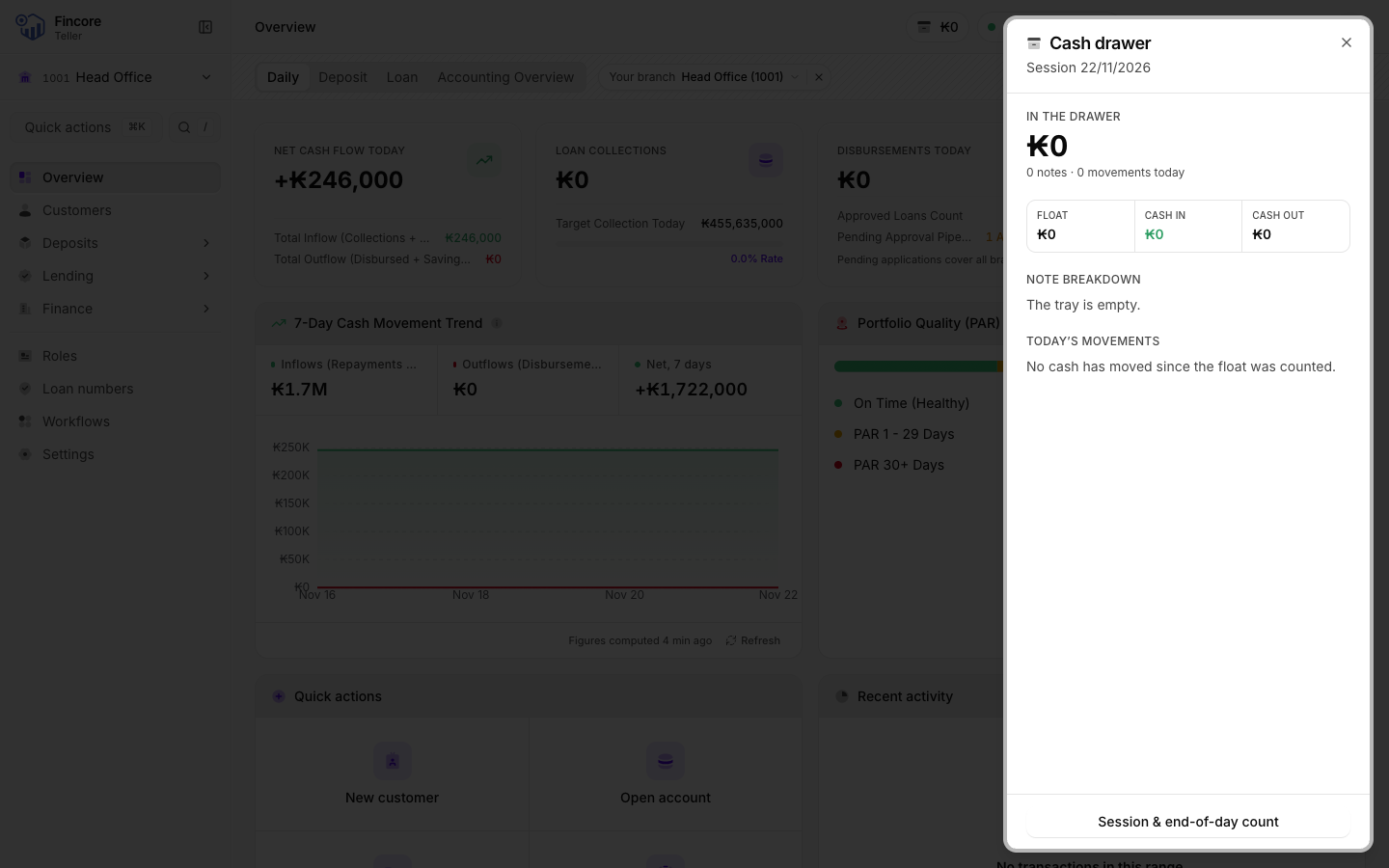
At the bottom, Session & end-of-day count takes you to the session screen.
Count the notes on every cash transaction
A cash deposit, withdrawal, loan repayment in cash, or the opening deposit on a new account has a step where you count the notes. It uses the same grid as the opening float.
- For cash you receive, the step shows Cash received and the amount. Count the notes the customer handed over.
- For cash you pay out, it shows Cash to pay out. Count the notes you hand to the customer. Each row also shows how many of that note your drawer holds.
- Select Fill to have the grid propose a breakdown for the amount, then change any row you need.
The notes must come to the amount exactly. Under the grid you see Balanced when they do, or how much you are short or over. You cannot move on until the count is balanced. For a payout, you also cannot move on while the grid shows Not in drawer: recompose the payout from notes you hold, or recount the drawer.
The notes are added to or taken from your drawer only after the core banking system accepts the posting. A refused transaction leaves the drawer as it was.
Fix a drawer that cannot be reconciled
If the drawer panel says The opening float was never counted, the app has no note breakdown for your opening float. This happens when the session was opened on another computer, or when opening reported an error. The top bar shows no drawer figure in this state, because a total without a counted float would be wrong.
Go to the session screen: open the session pill in the top bar and select View session detail. On the drawer card, select Count the float. If a count was already saved, the button reads Recount float instead, and opens the same dialog. Count the notes in your float and select Save the count. If your count differs from the opening balance the core banking system holds, the dialog says so. Record what is actually in the tray: the difference is real.
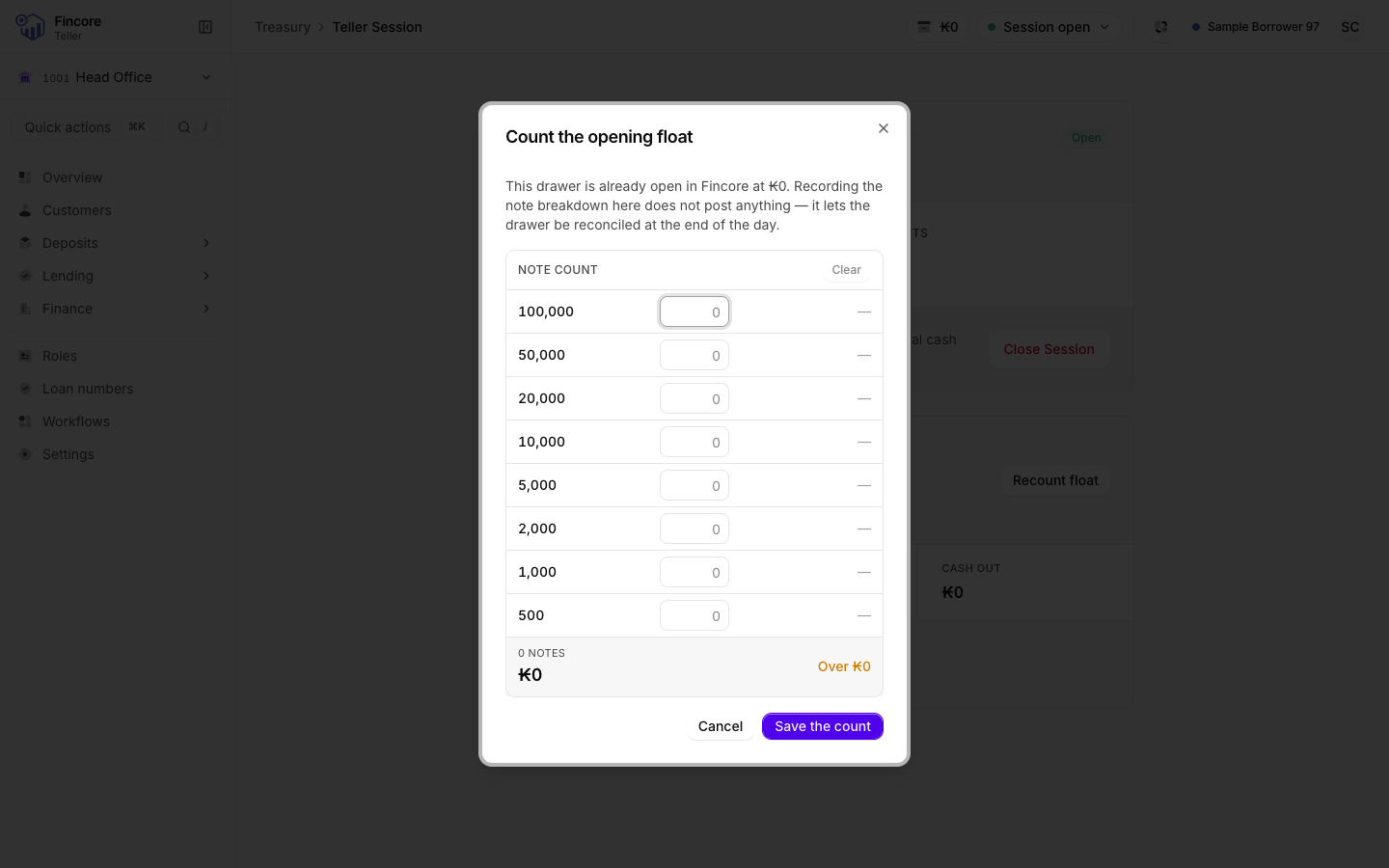
Saving the count posts nothing. It only gives the drawer a starting point to reconcile against.
Good to know
- Internal transfers and payments by bank do not touch the drawer, because no cash crosses the counter. You are not asked to count notes for them.
- If the panel warns that the counted notes are above or below the float plus today's movements, recount the tray with Recount float on the session screen before you close.
- The drawer record is kept on this computer only. Use the same computer all day. Another computer, or a cleared browser, shows the drawer as not counted.
- Each day starts with an empty record. Yesterday's tray never carries over.