Loan number format
Set how the core banking system numbers new loans, check a sample, and publish the format.
The loan number format decides what a new loan's number looks like, for example a branch code, a product code, the year and a running number. You compose it here. The core banking system allocates every real number when a loan is created.
Before you start
- You need the Super admin or Admin role. Without one, the screen shows Loan numbers are restricted.
- Your user on the core banking system must also be allowed to manage number formats. If it is not, publishing is refused with a message saying so.
Open Loan numbers
Select Loan numbers in the sidebar. The Format tab opens. The header shows the current state, such as Not published, Draft or Unsaved changes.
If your bank has no format yet, the screen says Loans use Fincore's own numbers. Select Start a format to begin.
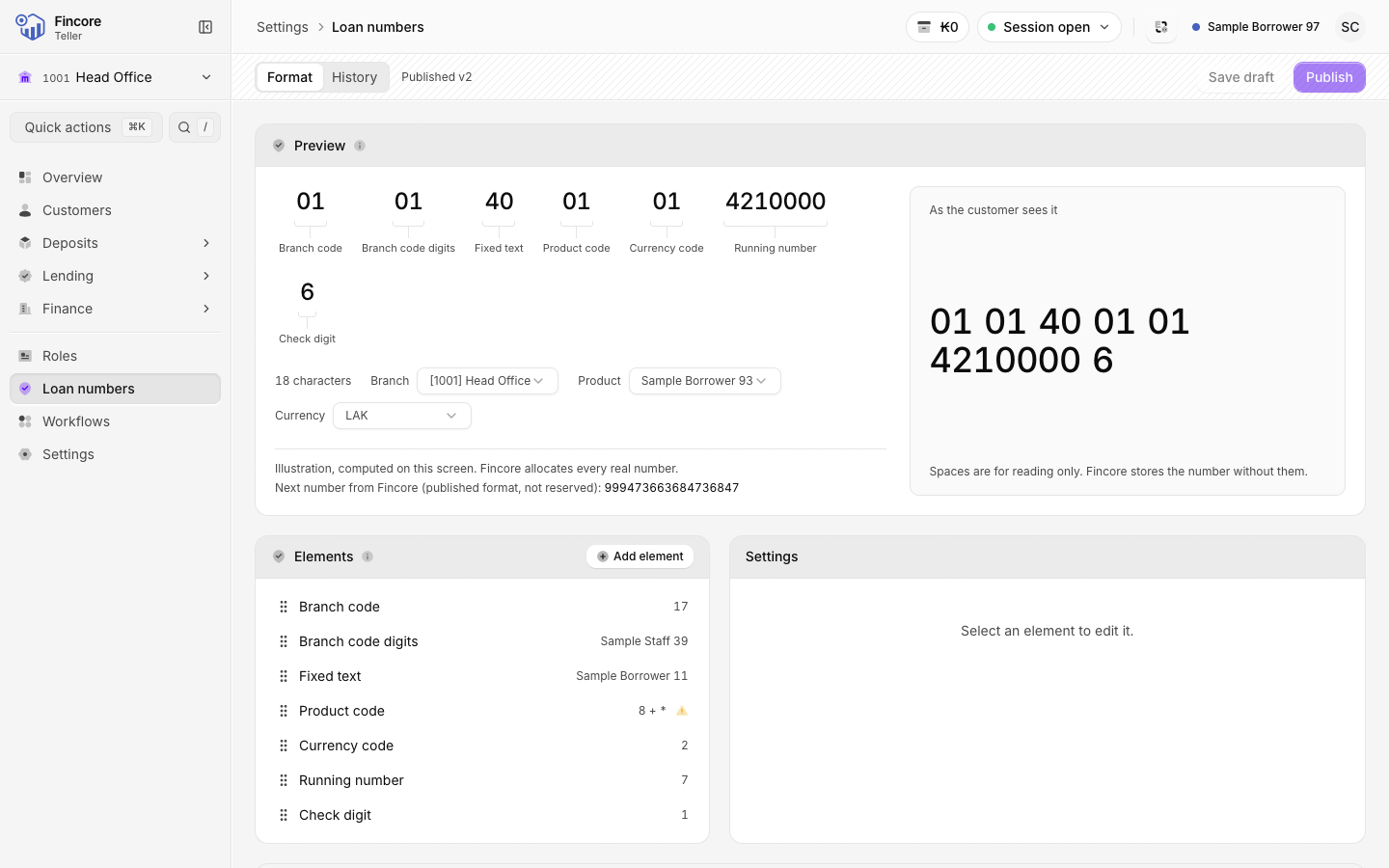
Add and arrange the elements
Select Add element and pick a part, such as Fixed text, Branch code, Product code, Year, Running number or Check digit.
Elements read left to right. To change the order, drag an element, or select it and press Alt with an arrow key.
Set each element
Select an element to edit it on the right. A code element, such as Branch code, lists every branch or product with its own code. A Fallback code is used for any row you leave blank.
Check the preview and the findings
Preview shows a sample number for a branch, product and currency you choose. The sample is worked out on this screen. The real running number comes from the core banking system.
Findings lists anything to fix, such as Add a running number.. When nothing is left it says Ready to publish..
Save a draft, then publish
Select Save draft to keep your work without changing anything. To put it into use, select Publish. The confirmation shows the number now and after publishing. Check both, then confirm.
The format applies to loans created from then on. Existing loan numbers do not change.
Good to know
- Discard draft throws away your unpublished changes and goes back to the published format.
- The History tab lists every published version and, under Counters, the next running number for each prefix.
- If someone else changed the format while you were working, reload to see their version before you save again.
Your bank may differ
Whether this screen is available, and whether numbering by your bank's format is switched on, depends on your bank's core banking setup. When it is switched off, the header shows Fincore numbering switched off.