Sign in and sign out
Sign in with your teller username and password, sign out at the end of your shift, and what to do when your session expires.
Every screen in Teller Operations needs you to be signed in. You use the username and password your bank issued for your teller ID, and every action you take is recorded against it.
Sign in
Open the app
Open the address your bank gave you. If you are not signed in, the Sign in page opens.
Enter your username and password
Type your Username and Password. To check what you typed, select Show password beside the password field. If Caps Lock is on appears above the field, turn Caps Lock off first.
Select Sign in
Select Sign in. The Overview opens. The first time you sign in, the app uses the language set on your user in the core banking system. You can change it later in Settings › Display.
Sign out
Select the round button with your initials at the top right of the header. The account menu opens with your name. Select Sign out. The sign-in page opens.
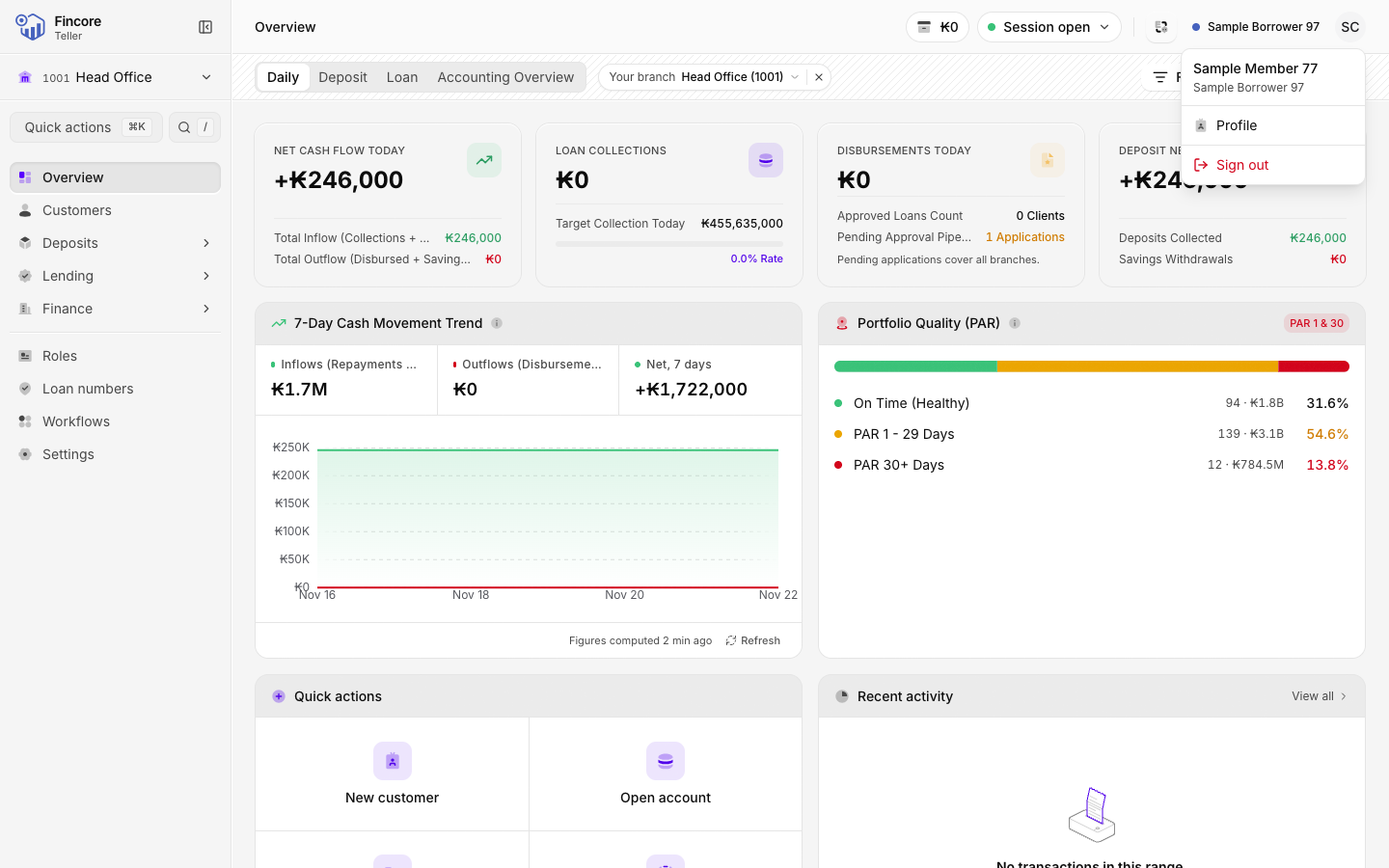
Signing out does not close your teller session or your cash drawer. At the end of the day, close and settle them before you sign out, as described in Close your session.
When your session expires
The app keeps you signed in while you work. If the core banking system stops accepting your sign-in, the app takes you back to the sign-in page with the message Your session expired. Sign in again to continue.. Sign in again to carry on. Anything you posted before that is saved. Check any form you had not finished.
If something goes wrong
| Message | What to do |
|---|---|
| That username and password were not accepted. Check them and try again. | Check your username and password, and that Caps Lock is off. |
| The sign-in was not accepted. Check your username and password, and tell your branch administrator if it keeps happening. | Try once more. If it happens again, tell your branch administrator. |
| Could not reach the banking server. Try again. | The app could not reach the core banking system. Check your network, wait a moment and try again. |
If you are locked out, the sign-in page reminds you: Locked out? Your branch administrator can reset the teller account.