BOL returns
Prepare a Bank of Lao PDR monthly return for a month, check its figures and export it for filing.
BOL returns lists the Bank of Lao PDR regulatory returns, F01 to F12. Each return is worked out from the month's ledger and loan or deposit records. You pick the month, check the figures and export the form.
Open the list of returns
Under Finance, select BOL returns. The table shows each return's Form, its name and its Status. A return marked Available has been built and checked. A return marked Built — figures being verified is built, but its figures are still being checked against a filed return, so it cannot be exported yet.
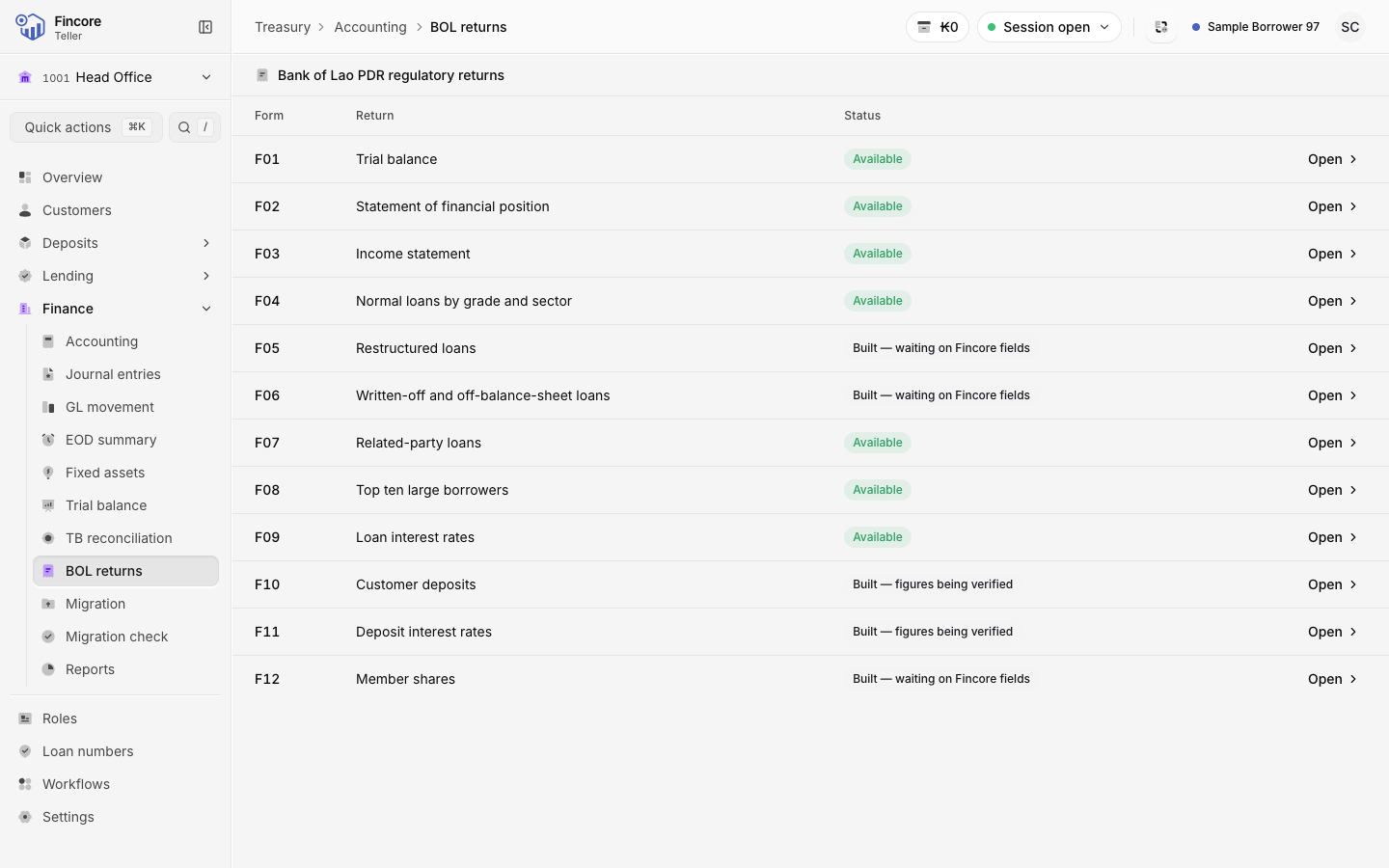
Open a return
Select Open on the row. F01 opens the trial balance. The others open on the Report tab. A return worked out from the ledger also has a Mapping tab, which sets which accounts feed each line. Leave it to whoever maintains the mapping.
Choose the month
The return opens on the current month. Use the arrows beside the month to step back to the month you are filing, or select the month to pick another one.
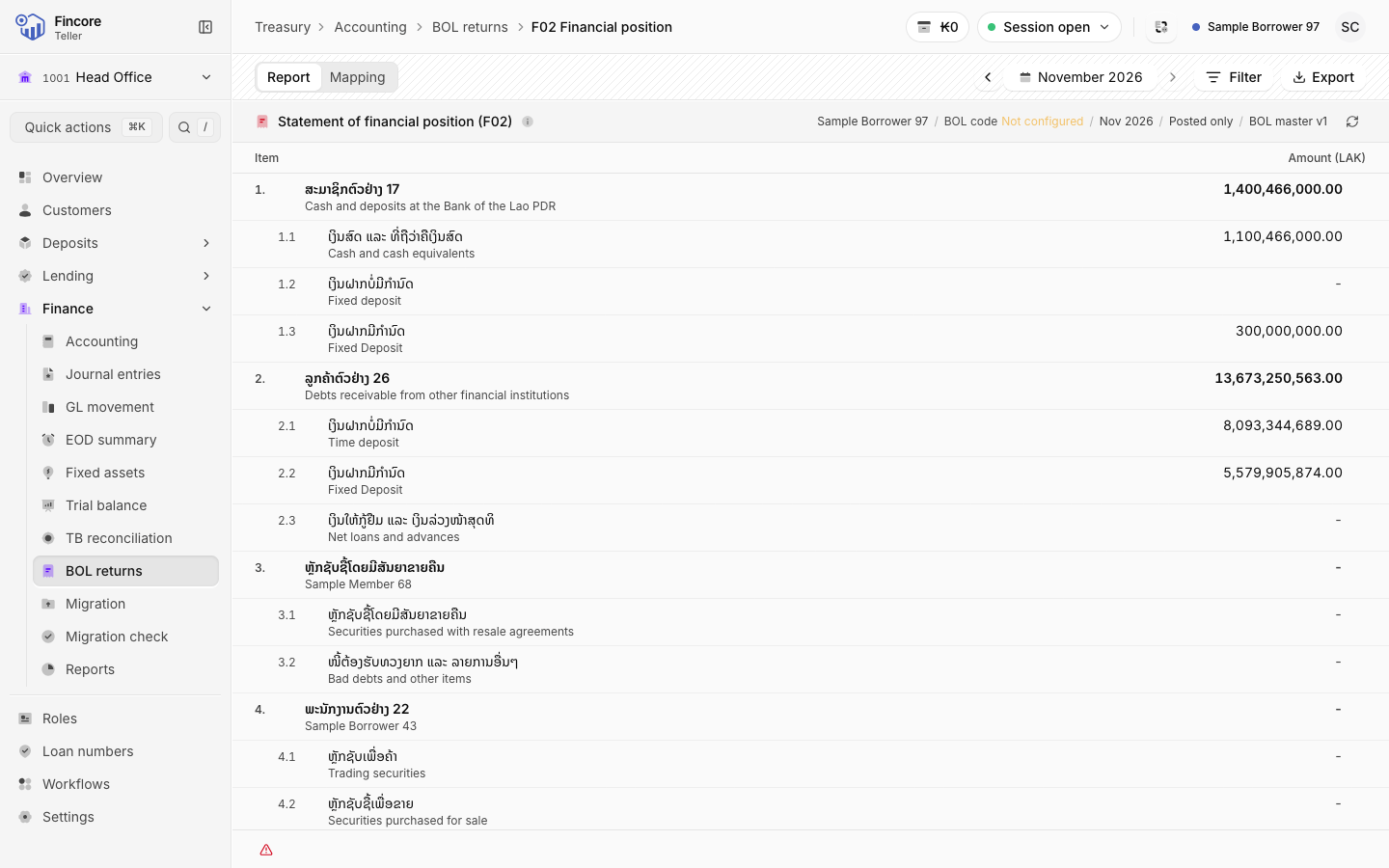
Review the figures
Each line shows its statutory number, its Lao name and its amount. Amounts are exact to two decimals and are never rounded. Select any amount to see how it is worked out: which ledger accounts it adds up, or which lines a total sums.
Check the basis
On a return worked out from the ledger, such as F02 or F03, open Filter. Entries should read Posted only, the statutory basis. With All entries, the screen and the file both say the figures include entries not yet posted, so the file cannot pass for the filed return.
Export
Select Export and choose Excel (.xlsx) or Print / PDF. The file is built from the figures on screen, in the official BOL layout with Lao captions.
Good to know
- If export is turned off, the open Export menu says why, for example that the month's trial balance carries no accounts.
- When the filled return cannot be exported, the menu may offer Excel (.xlsx) — blank template or Print / PDF — blank template: the form with empty values.
- The deposit returns read every deposit account and can take many minutes. They wait until you select Run deposit census for the month.
- The trial balance behind most returns can take up to two minutes the first time a month is opened.
- If a figure cannot be read from the core banking system, the screen says the data is unavailable. It never shows a zero in its place.
Your bank may differ
Which returns your bank files with figures depends on its type of institution, set under Settings. A return that does not apply shows Not applicable — empty template and exports as the empty BOL template. Some returns show Built — waiting on Fincore fields until the core banking system holds the fields they need.