GL movement
See how much moved on each GL account for a day or a period, by account, by teller or entry by entry.
GL movement shows every journal line posted in a period, rolled up to the 7-digit GL code: which account moved, by how much, on which side and who posted it. Use it to compare the day with your bank's other movement reports. Nothing is changed on this screen.
Open the report
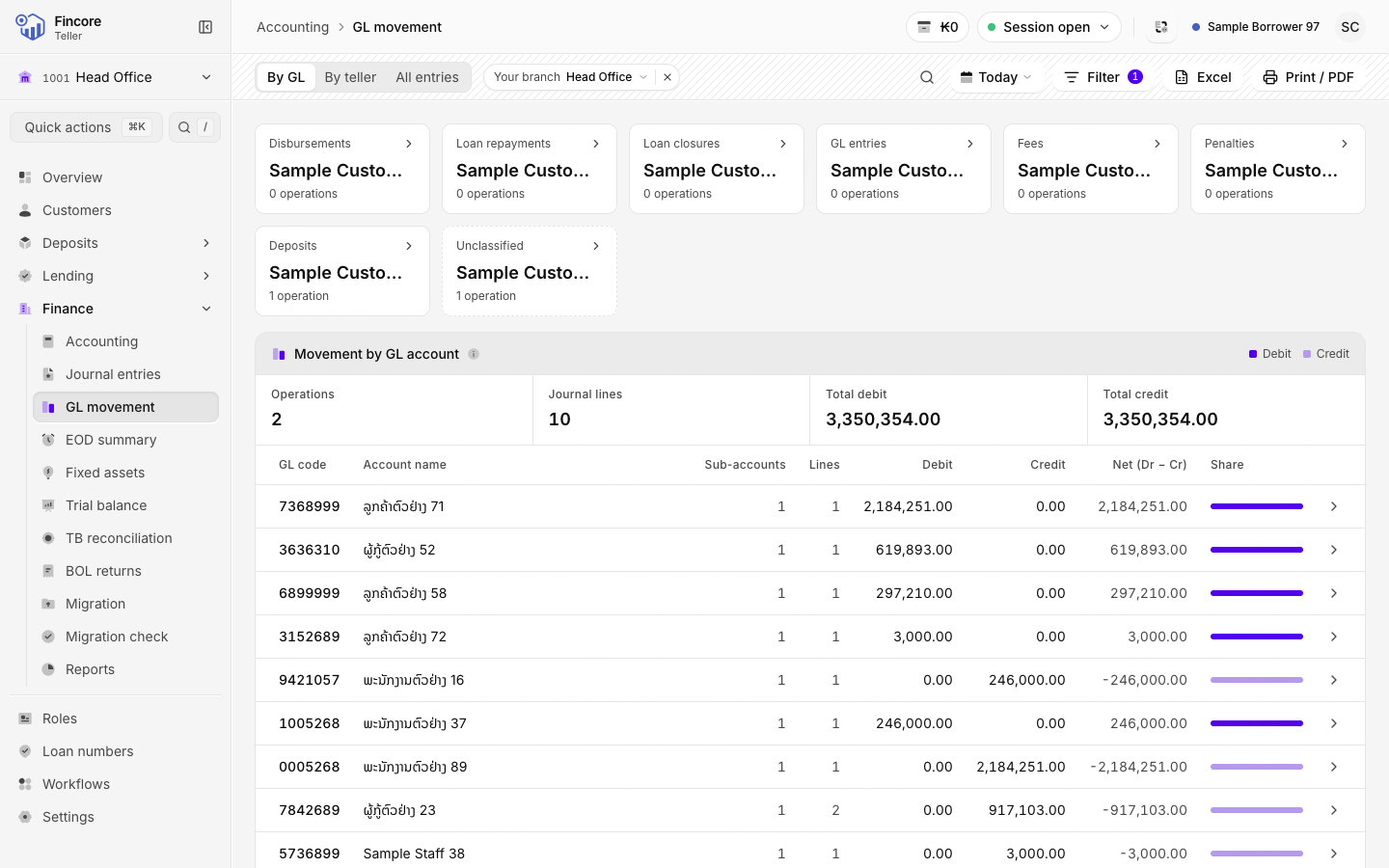
Under Finance, select GL movement. The report opens on Today and on your working branch, on the By GL tab.
Choose the period
Select the period button and pick Today, Yesterday, This month or Last month, or Custom range for your own dates. A report covers at most 31 days.
Narrow by operation
The cards above the table count each kind of operation, such as Disbursements, Loan repayments, GL entries and Fees. Select a card to show only that kind. Select it again to show every operation.
Read the table
Movement by GL account lists each GL code with its Debit, Credit and Net (Dr − Cr). The last row is the total. Search by Search GL code or account to find one account.
Open one account
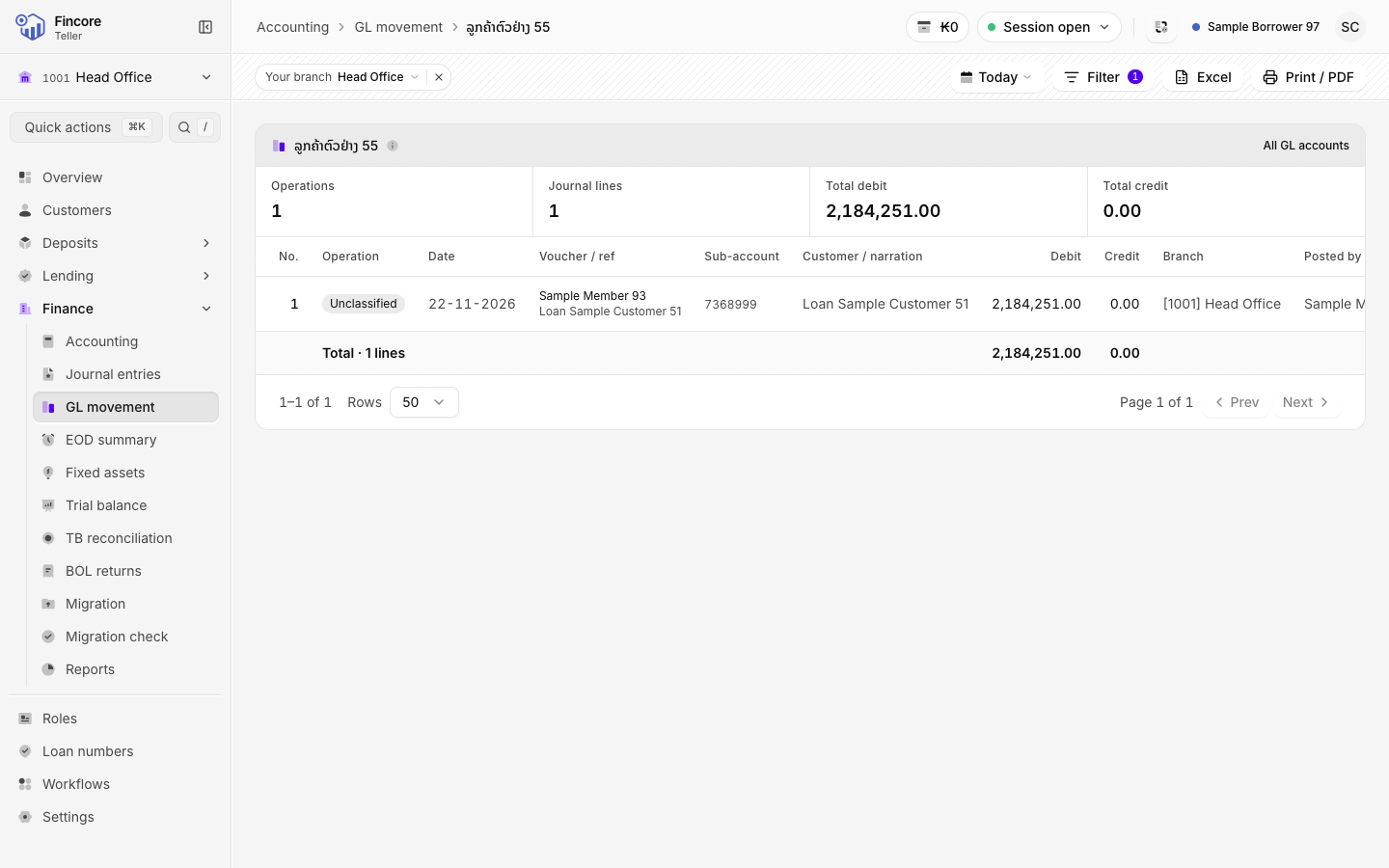
Select a GL row to see every line posted to that account in the period, with the voucher, the customer and who posted it. Select a line to open its whole journal entry. Select All GL accounts to go back.
Switch view
Use the tabs in the header. All entries lists every line in the period. By teller totals the period by who posted it.
Print or export
Select Excel for a spreadsheet, or Print / PDF to print the report.
Good to know
- The first time a period is opened, the screen reads every entry's lines and shows Reading … entries from Fincore…. This can take a few minutes for a whole month. Later opens are quick.
- If the screen shows Still reading this window, reload the page. It carries on from where it stopped.
- No total is shown until every line has been read. A partial figure is never shown as a total.
- Under a branch filter, entries with no branch are left out. The screen says how many, with a link to Include every branch.
Your bank may differ
Without the Teller admin role you see only the entries you posted yourself, and the By teller tab is not shown. See Roles.