Close an account
Close a savings or current account by paying out its whole balance, or close a fixed deposit.
Closing a savings or current account is one action: the whole balance is withdrawn on the closing date, then the account is closed with that date. A fixed deposit is closed from its own record.
Before you start
- Open your teller session.
- If the balance will be paid in cash, check that your drawer holds enough notes.
Close a savings or current account
Open the close dialog
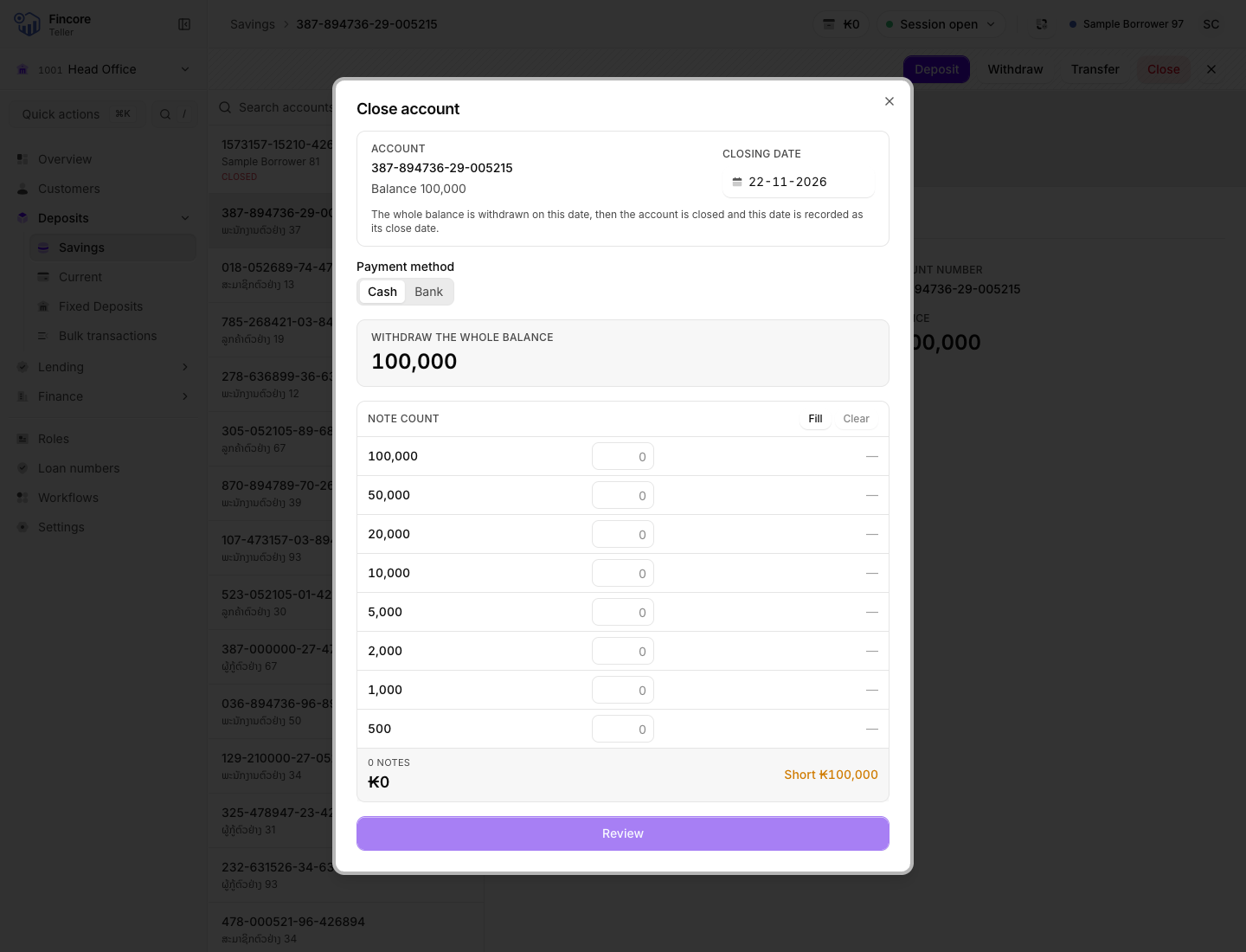
Open the account and select Close. The dialog shows the account number, its balance and the Closing date.
Set the closing date
The date defaults to today. You can choose an earlier day, which is marked Backdated, but not a day in the future, and not a day before the account's last movement.
Pay out the balance
If the account holds money, the dialog shows Withdraw the whole balance with the full balance. You cannot change the amount.
Continue as for a withdrawal: count the notes you will pay out until they balance, then review. The review shows Withdraw and close with the amount, the account and the closing date. Select Confirm.
If the balance is zero, there is nothing to pay out: select Close account.
Finish
The dialog confirms the account is closed and on which date, and shows the notes that left your drawer. Print the customer's receipt, then select Done.
Close a fixed deposit
Open the fixed deposit
Under Fixed Deposits, select the Accounts tab and open the deposit. Select Close.
Confirm
The dialog warns that the close cannot be undone and shows the principal. If the principal is not zero, it warns that the core banking system may refuse an early close. Select Close Deposit, or Cancel.
Read the settlement
The dialog shows the settlement as the core banking system calculated it: principal, interest, any penalty and the total payable. No receipt is printed for a fixed deposit close, because no payout transaction is recorded for it.
If something goes wrong
- The withdrawal was not confirmed. The money may or may not have left the account. Check the account's statement before you try again, and do not hand over the notes until the withdrawal shows.
- The money was withdrawn but the account is still open. The dialog says so, shows the amount that left and explains what the core banking system holds. The withdrawal itself was posted, so do not pay it out again. Check the account's balance and status, then ask your supervisor before you try to close it again.
- The balance changed. If the core banking system holds a different balance from the one on screen, nothing is sent. Reload the account and start again.
Your bank may differ
The payout follows your bank's published steps for withdrawals, so the dialog may also ask for a signature or fingerprint check, or offer Bank as well as Cash.