Transfer between accounts
Move money from one savings or current account to another account of the same type, with no cash crossing the counter.
An internal transfer moves money from the account you are on to another account at your bank. No cash changes hands, so there are no notes to count.
Before you start
- Open your teller session.
- Have the destination account number. It must be the same type as the source: savings to savings, or current to current.
Open the source account
Open the savings or current account the money leaves from, and select Transfer.
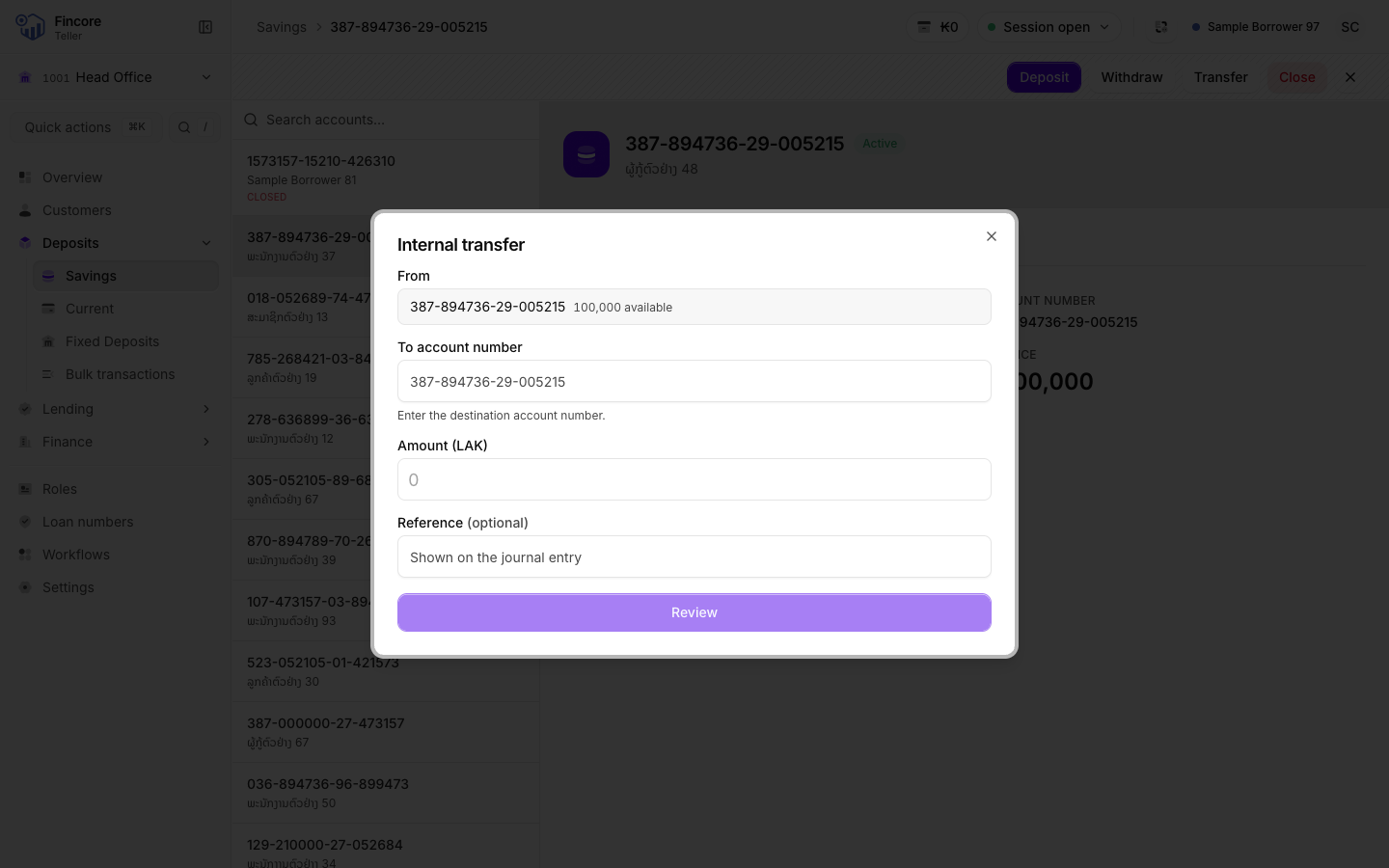
Enter the destination
Type the To account number. The dialog looks the account up as you type and shows the holder's name and balance when it finds it. Check the name with the customer.
The dialog tells you when the number is not found, belongs to an account that cannot receive money, or is the account you are transferring from.
Enter the amount and reference
Type the Amount (LAK). It cannot be more than the balance shown under From. The Reference is optional and appears on the journal entry.
Select Review.
Confirm
Check the amount, the two account numbers and the destination holder. Select Confirm transfer, or Back to change something.
Finish
The dialog shows Transfer complete. Print the customer's receipt, then select Done.
Good to know
- Both accounts show the transfer on their statements: a withdrawal on the source and a deposit on the destination.
- A transfer always posts with today's date.
- Your cash drawer does not change.