Open a savings or current account
Open a new savings or current account for a customer, with or without an opening deposit.
Savings and current accounts open through the same three-step form: choose the customer, choose the product, then take the opening deposit if there is one.
Before you start
- The customer must already be registered. If they are not, register them first.
- Open your teller session. The account cannot be opened, and no opening cash can be taken, without one.
Start a new account
Under Deposits in the sidebar, select Savings or Current. Then select Open account at the top right of the list.
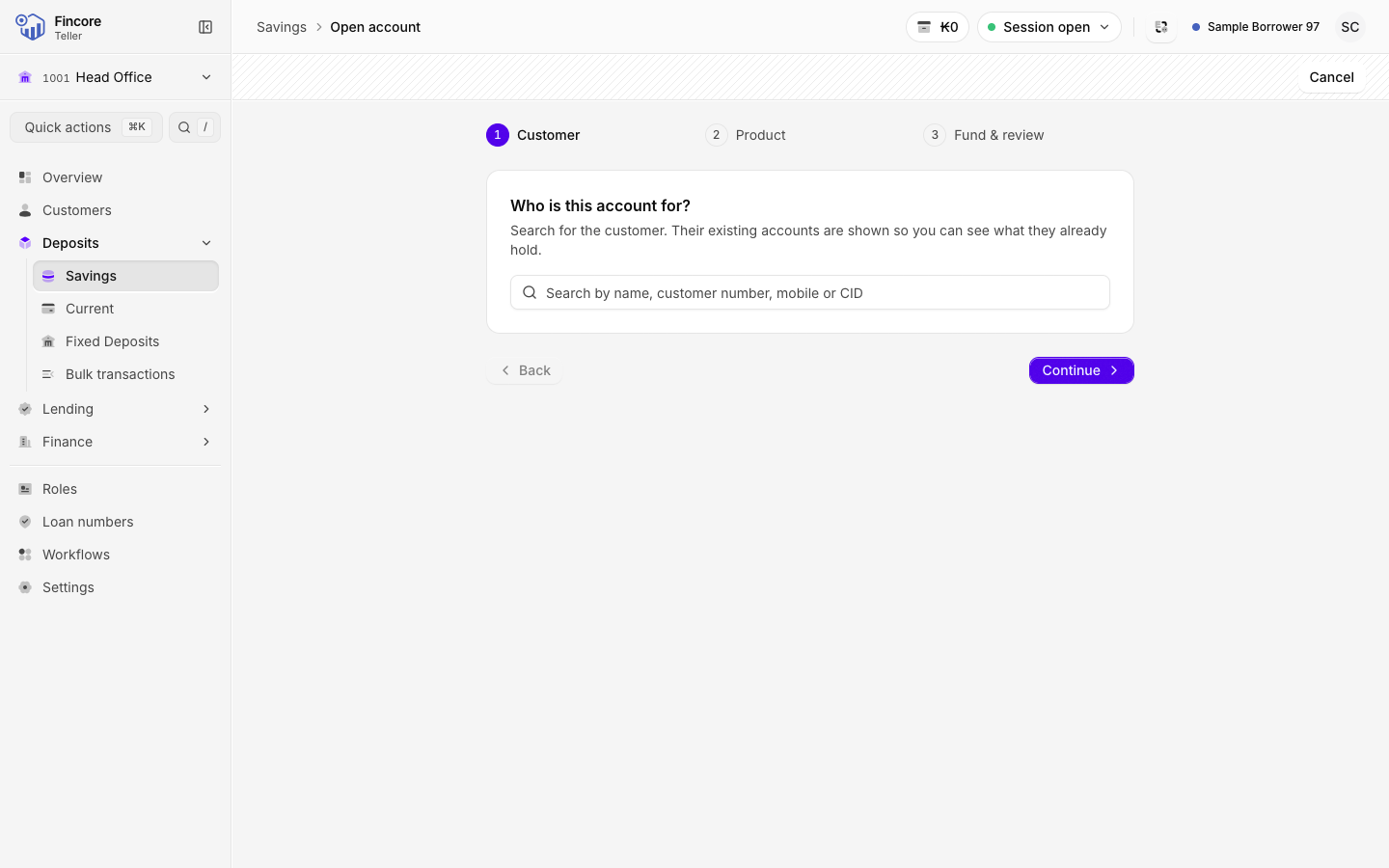
Find the customer
Search by name, customer number, mobile number or CID, and pick the customer from the results. Their card shows the deposit accounts they already hold, so you can check before opening another one. To pick someone else, select Change.
Select Continue.
Choose the product
Select the product card the customer asked for. Each card shows the product's terms from your bank's product list. If only one product exists, it is already selected.
Check the Opening date. It defaults to today, and the core banking system accepts any date, so change it only if you mean to. Select Continue.
Take the opening deposit
Under Fund & review, type the Opening deposit in kip. It is optional: leave it blank to open the account with a zero balance.
If you enter an amount, count the notes you received into the note grid. The count must equal the amount exactly. Fill proposes a breakdown you can then correct to match the notes in your hand.
Check the summary at the bottom of the step, then select Open account.
Check the result
The screen shows the new account number and whether the opening deposit was posted. If an opening deposit was posted, the customer's receipt is on this screen: print it. Then select Open account to go to the account, or Back to list.
If something goes wrong
The account and the opening deposit are posted one after the other. If the account opened but the deposit was not confirmed, the result screen says so and offers Retry deposit. A retry checks the balance first and never posts the deposit a second time. If the retry fails too, open the account and check its balance before you try again.
Good to know
- Continue is never greyed out. If a step is incomplete, the form shows what is missing when you select it.
- The notes you counted are added to your cash drawer only after the deposit is accepted.
Your bank may differ
Your bank can add its own checks to the opening deposit, such as a signature or fingerprint check, or a choice between Cash and Bank. If your screen shows extra steps, follow them in order.