Open a fixed deposit
Book a new fixed deposit for a customer, take the deposit in cash or by bank transfer, and verify the customer.
A fixed deposit is opened and funded in one go. You choose the term and how interest is paid, the screen tells you which product books it, and the deposit is placed when you confirm.
Before you start
- The customer must already be registered.
- Open your teller session.
- For a bank transfer, have the bank slip and its reference number ready.
Start a new fixed deposit
Under Deposits, select Fixed Deposits. The page opens on the Analytics tab. Select the Accounts tab, then Onboard deposit.
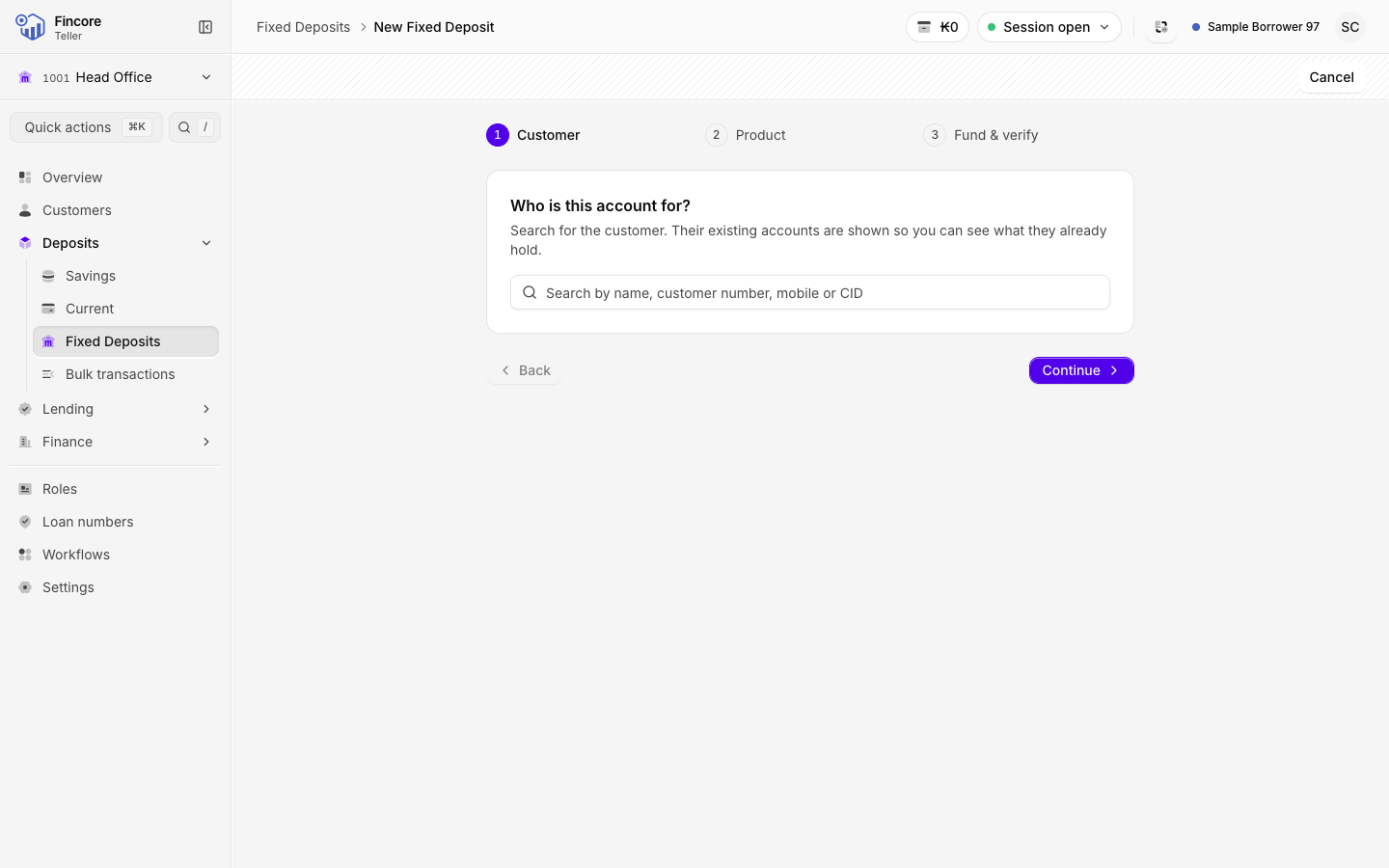
Find the customer
Search by name, customer number, mobile number or CID and pick the customer. Their existing deposit accounts are listed on the card. Select Continue.
Choose the terms
Answer the questions in order:
- Interest payout: Periodic, At maturity or Upfront.
- Duration.
- For periodic payout, the Installment term. For payout at maturity, the Deposit option. For upfront payout, the Upfront type.
- The Start date. The Maturity date is filled in from the term as a preview. The core banking system confirms the real date when the deposit is booked.
Under the questions, the screen names the product and rate that will book the deposit. If more than one product fits, choose the one the customer agreed to. If no product fits, the screen says so and lists the terms on offer: change your answers.
You can also fill in the Economic classification (optional) at the bottom. Select Continue.
Take the deposit
Type the Amount (LAK). You can add a Detail / description. Then choose the Payment method:
- Cash: count the notes into the note grid. The count must equal the amount exactly.
- Bank: type the Reference number and attach the Transfer slip (a photo, a scan or a PDF). Both are required. If the screen asks for the bank the transfer came from, choose it too.
Select Continue.
Verify the customer and confirm
Compare the customer's signature or fingerprint with the one on file, and confirm the one that matches. One check is enough. If the customer has nothing on file, select Proceed without.
Read the summary back to the customer, then select Onboard deposit.
Hand over the receipt
The screen shows the new account number, the product, rate, term, maturity date and interest payout. Print the customer's receipt from this screen, then select Open account.
Good to know
- Once the deposit is open, its record has a Schedule tab with the interest payments the bank has scheduled, and a Certificate tab. Select Print / PDF there to print the customer's certificate.
- The transfer slip stays on your screen only. It is not stored in the core banking system, so keep the paper slip as your bank requires.
- A fixed deposit has no deposit, withdraw or transfer buttons. To end it early, see Close an account.
Your bank may differ
Which payout options, terms and products appear depends on the products your bank has set up. An option marked Not enabled by the bank cannot be chosen yet. Your bank can also change the checks on the last step, for example to require both the signature and the fingerprint.