Register and look up collateral
Register a pledged asset or guarantor, edit it, and see which loans it secures.
Collateral is anything pledged to secure a loan: land, a vehicle, a deposit, a guarantor and so on. Register it once, then attach it to a loan application.
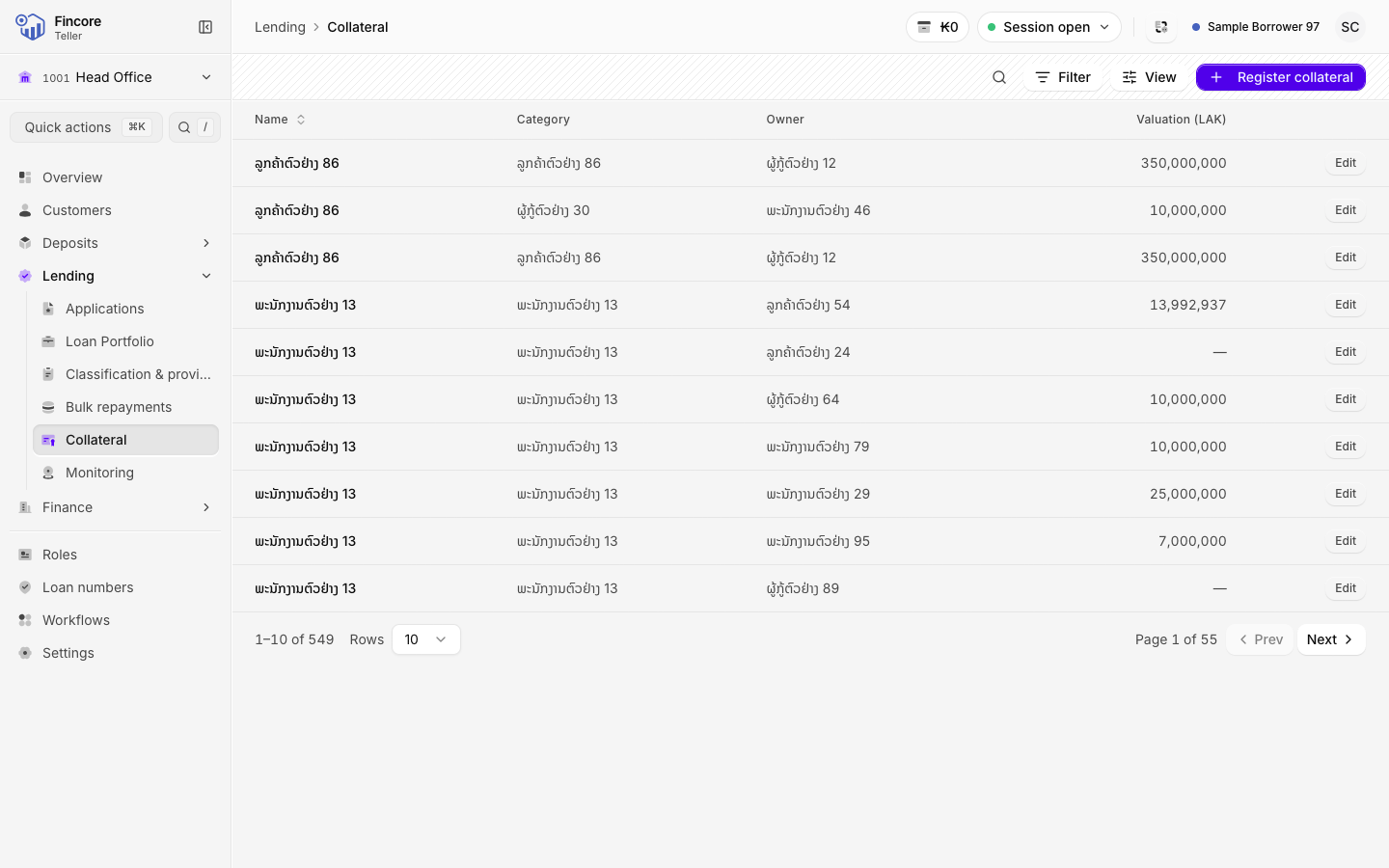
Open the collateral list
Select Collateral in the sidebar. Search for an item, or narrow the list by Category with Filter.
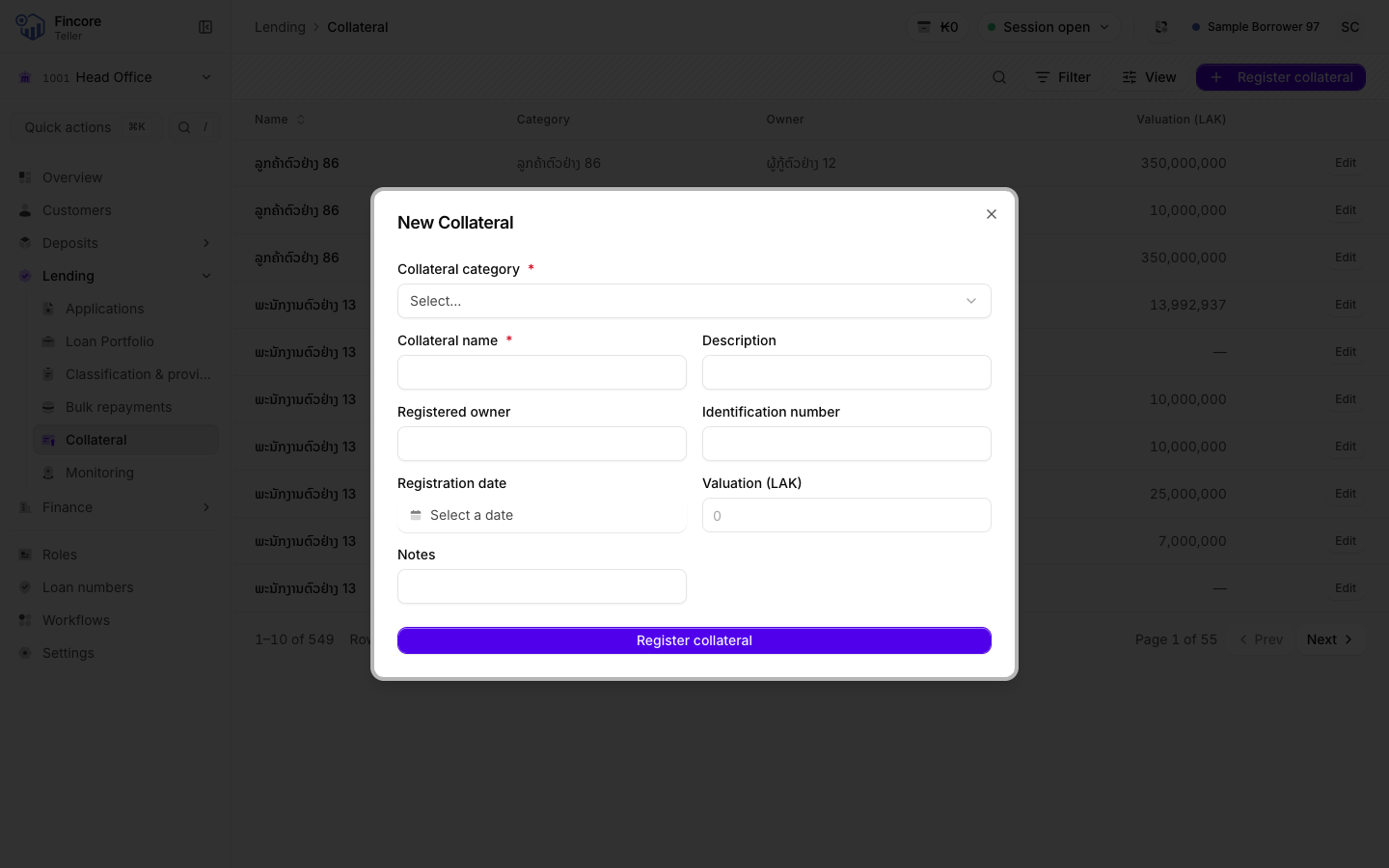
Register new collateral
Select Register collateral at the right of the header. In the New Collateral dialog, choose the Collateral category first. It decides which extra fields appear, for example Land & buildings, Vehicle or Guarantor.
Fill in the Collateral name, then what you have: Registered owner, Identification number, Registration date, Valuation (LAK) and the category's own fields. Select Register collateral at the bottom of the form to save.
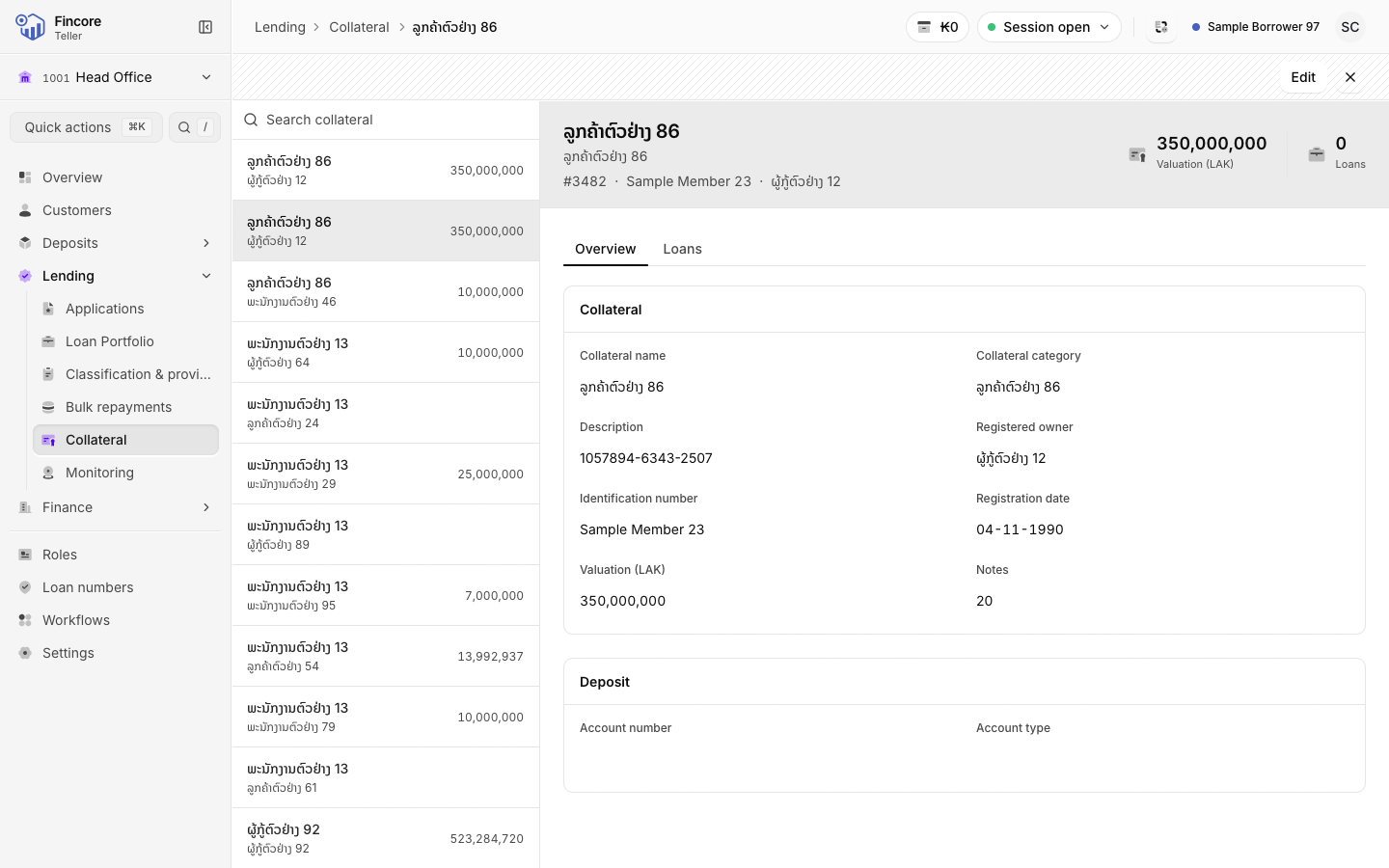
Open a collateral record
Select a row. The record opens beside the list with two tabs: Overview shows every recorded detail, and Loans shows the loans it secures.
Edit collateral
Select Edit on the record, or on its row in the list. Change the details and select Save changes. The category cannot be changed after registration.
Attach collateral to an application
Open the loan application and go to its Collateral tab. Select Attach collateral, search for the item, select it, then select Attach selected. If the application already has collateral, the dialog says so and your choice replaces it.
Good to know
- A record that shows Not pledged to any loan is registered but secures no loan yet.
- The loan record also has a Collateral tab showing what secures that loan.
Your bank may differ
The collateral categories, and the extra fields each one asks for, come from your bank's core banking set-up.