Loan classification and provisioning
Read the classification and provisioning report for a period, check it loan by loan, and export it.
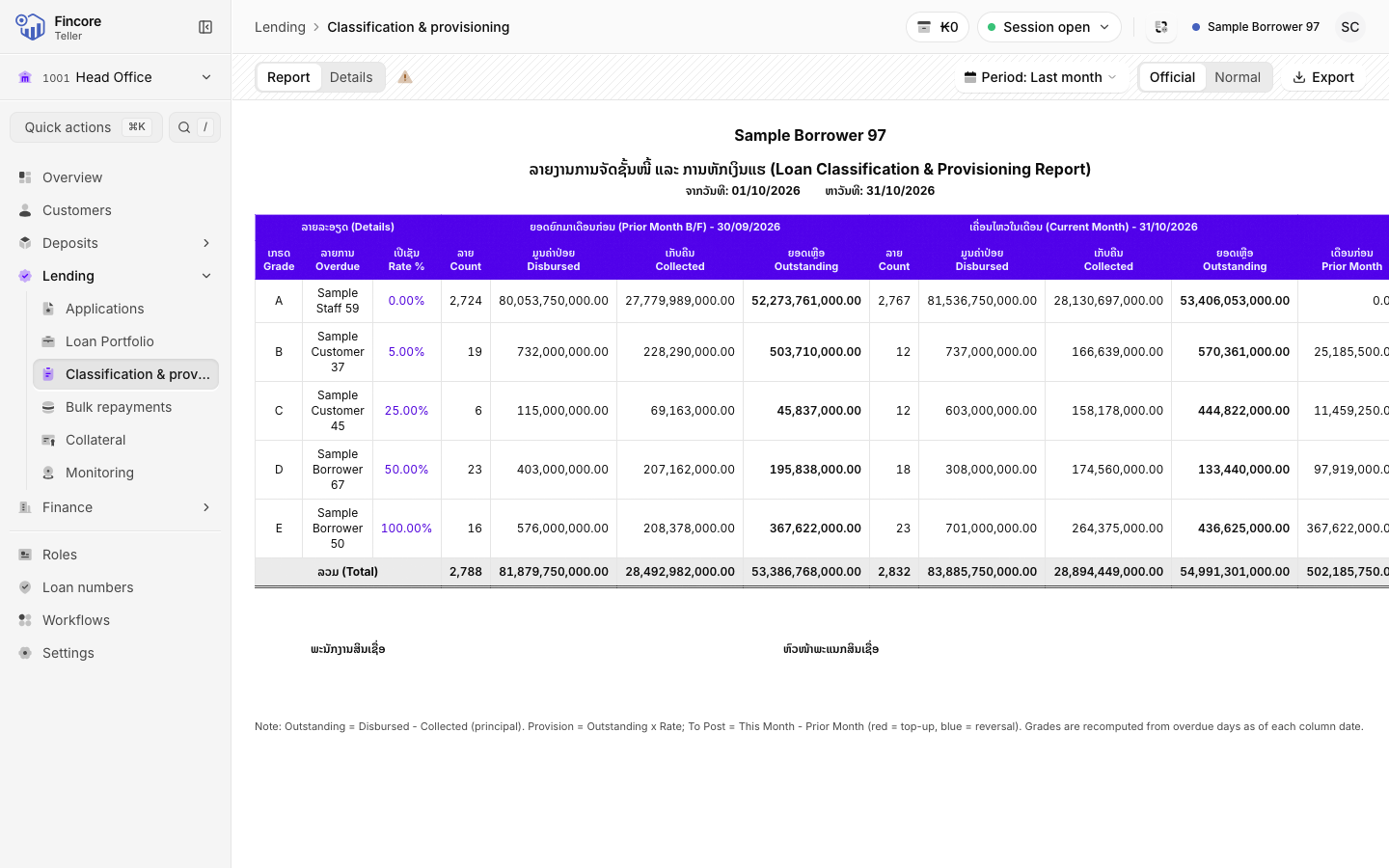
This report shows the loan book by grade at two dates, the end of the month before the period and the end of the period, with the provision each grade needs. It reproduces the core banking system's own report.
Open the report
Select Classification & provisioning under Lending in the sidebar. It opens on the Report tab for last month.
The report reads the whole loan book, so it can take a little while to load.
Choose the period
Select Period: … in the header and pick Last month or This month, or choose Custom range, set the start and end, and select Apply.
The report compares two snapshots: Brought forward · … at the end of the day before the period starts, and This month · … at the end of the period.
Switch the layout
Official shows the report as the signed form, with letterhead, bilingual captions and signature lines. Normal shows the same figures as a plain table in your screen language, with the grade columns fixed while you scroll.
Check it loan by loan
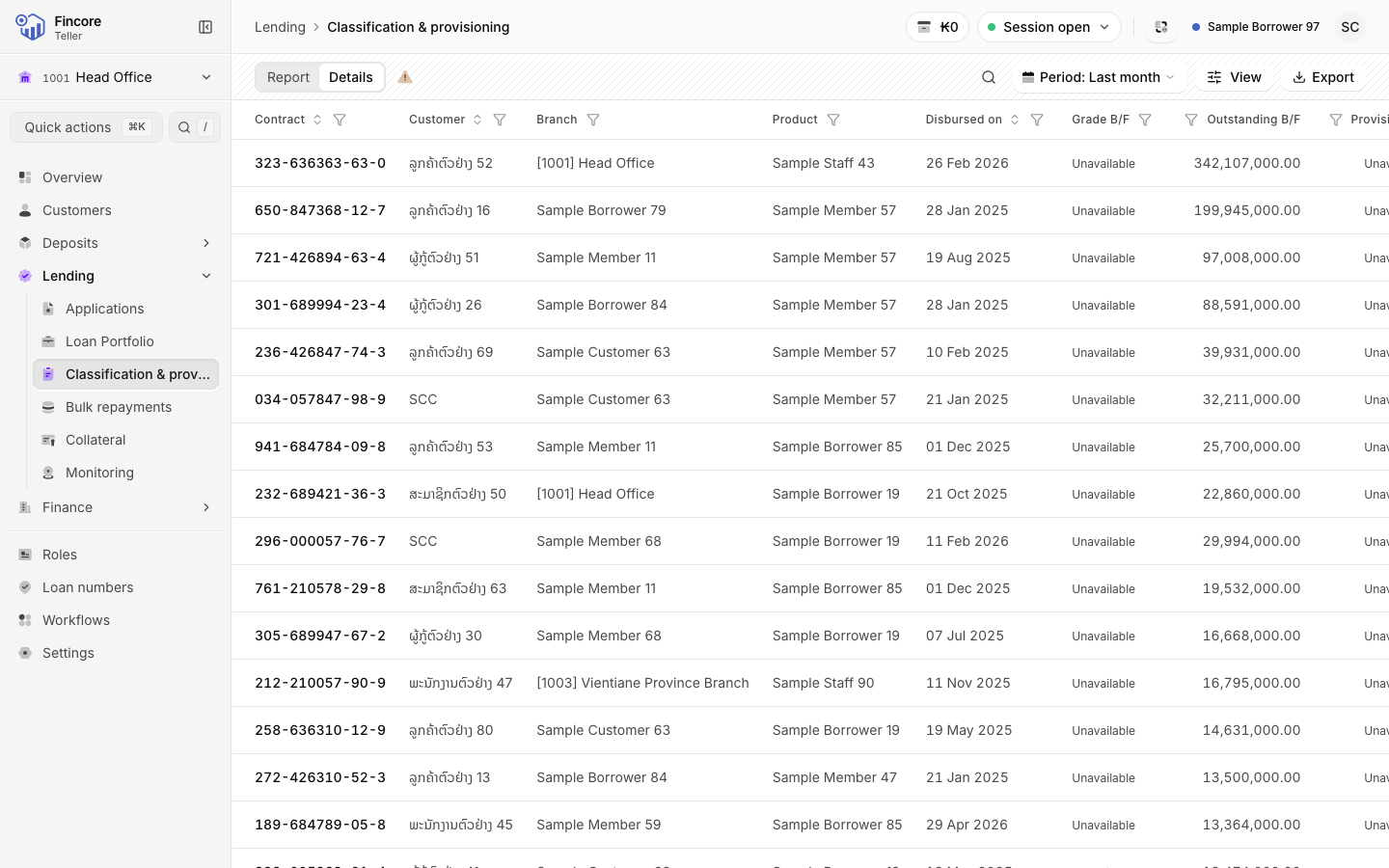
Open the Details tab. Every contract in either snapshot is listed with its grade, outstanding balance and provision at both dates. Search by contract, customer, branch or product, or use the funnel in a column header to filter that column. The totals strip above the table adds up the rows you are looking at.
Export the report
Select Export, then Excel (.xlsx) or Print / PDF. Both files hold the whole report and every contract for the period, whatever filters you set on Details.
Good to know
- Select Notes on these figures (…) next to the tabs to read the notes behind the figures, for example loans that could not be placed in a snapshot. Those loans are counted in a note, never added in as zero.
- A grade that cannot be stated reads Unavailable. A blank cell on Details means the loan was not in that snapshot.
- The first time you open a period, the screen may show Building grade history while it collects past grades. Wait for it to finish.
Your bank may differ
The grades and provision rates come from your bank's core banking set-up.