Loan portfolio and today's worklist
See the loan book at a glance, work through what is due today and in arrears, and find any loan.
Loan Portfolio is where you look after loans that are already on the books. It has four tabs: Analytics, Today, Overdue and Loans.
Read the analytics
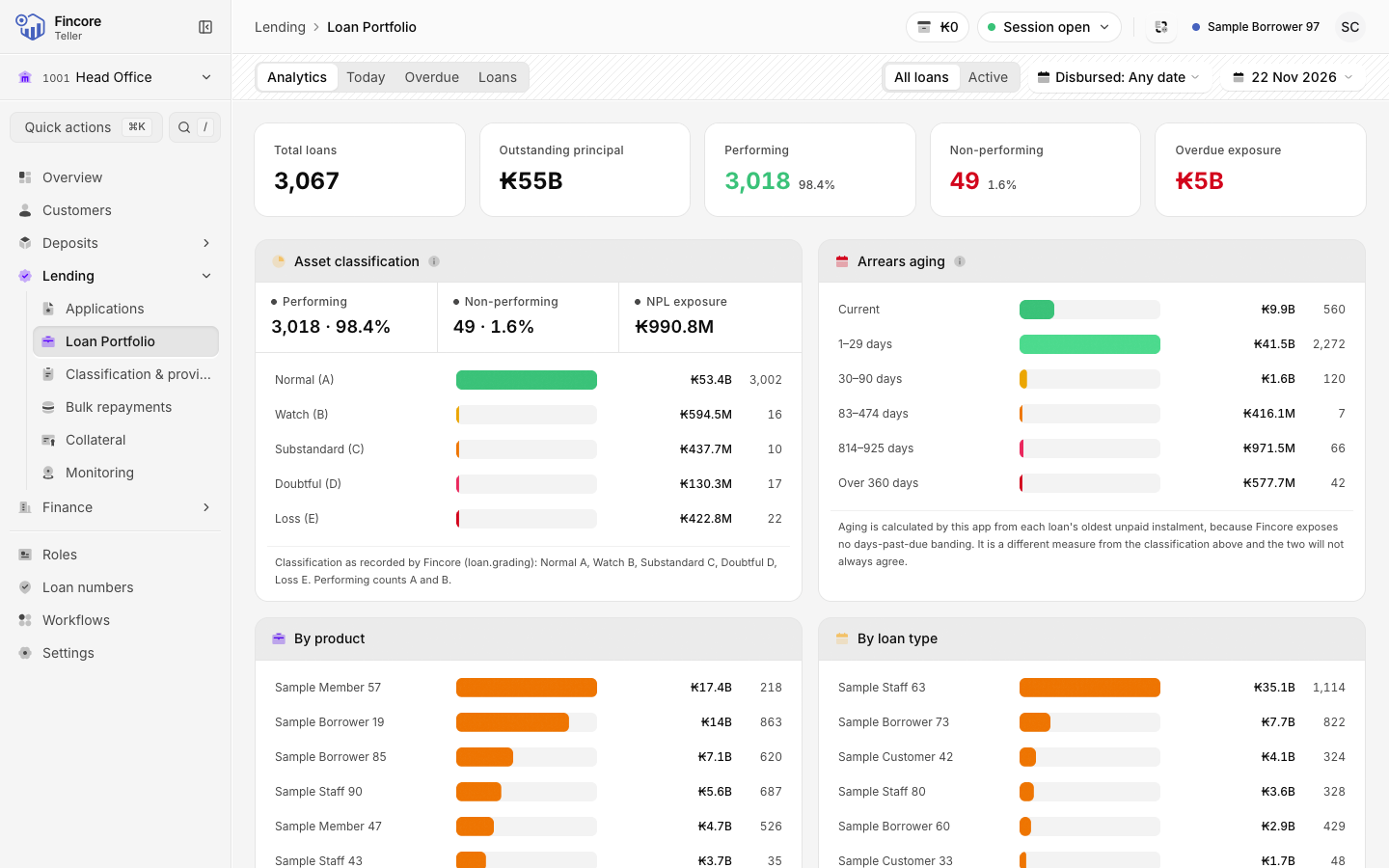
Select Loan Portfolio in the sidebar. The Analytics tab opens first. It shows Total loans, Outstanding principal, Performing, Non-performing and Overdue exposure, with charts for Asset classification, Arrears aging, By product and By loan type.
In the header, switch between Active and All loans, limit the figures to loans disbursed in a period, or pick an As of date.
Work through today's collections
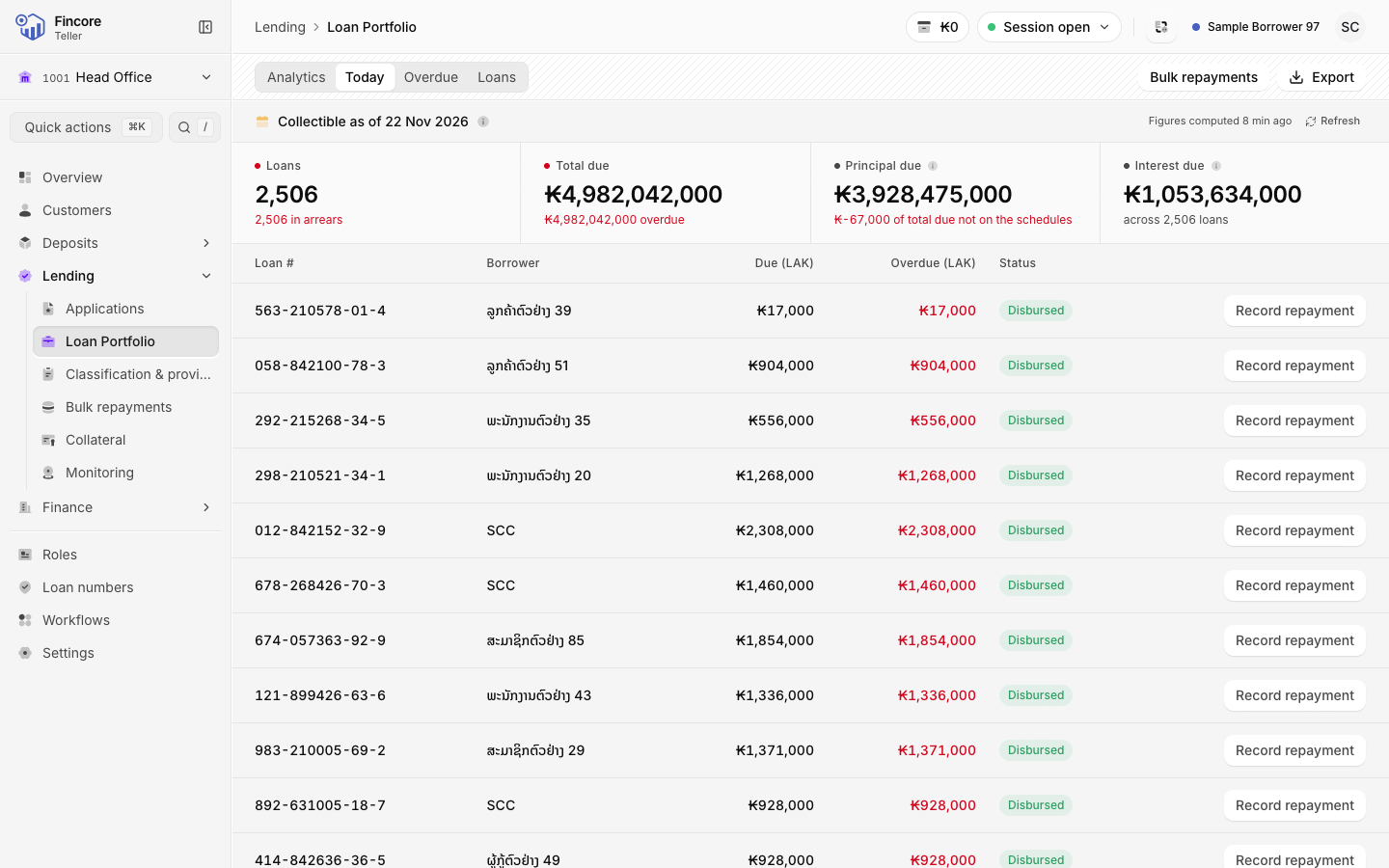
Open the Today tab. It lists every loan with an amount collectible today, including arrears carried from earlier. Above the list you see the number of Loans, the Total due, and how it splits into Principal due and Interest due.
When a borrower pays, select Record repayment on their row. The repayment dialog opens without leaving the list. Select anywhere else on the row to open the loan.
Follow up arrears
The Overdue tab lists loans in arrears as of the date in the header. The Overdue (LAK) column shows how much each loan is behind.
On both tabs, Bulk repayments opens bulk repayments, and Export saves the list as a file.
Find a loan
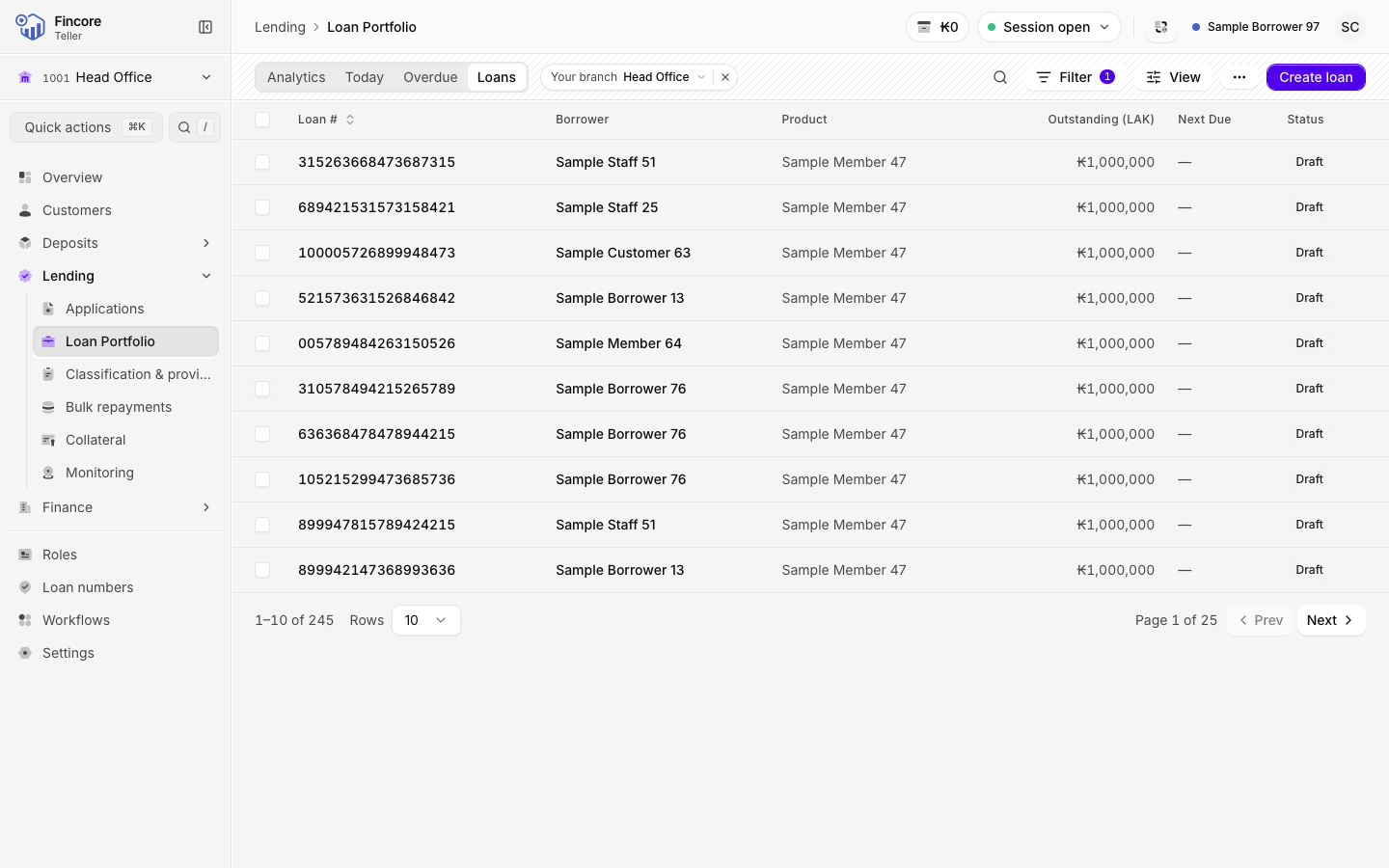
Open the Loans tab. It opens filtered to your working branch, shown as the Your branch chip. Search by loan number or borrower, or use Filter to narrow by Status, Product, Loan type, Overdue, Due today, Classification or Branch.
Select a loan to open its record.
Use the loan record
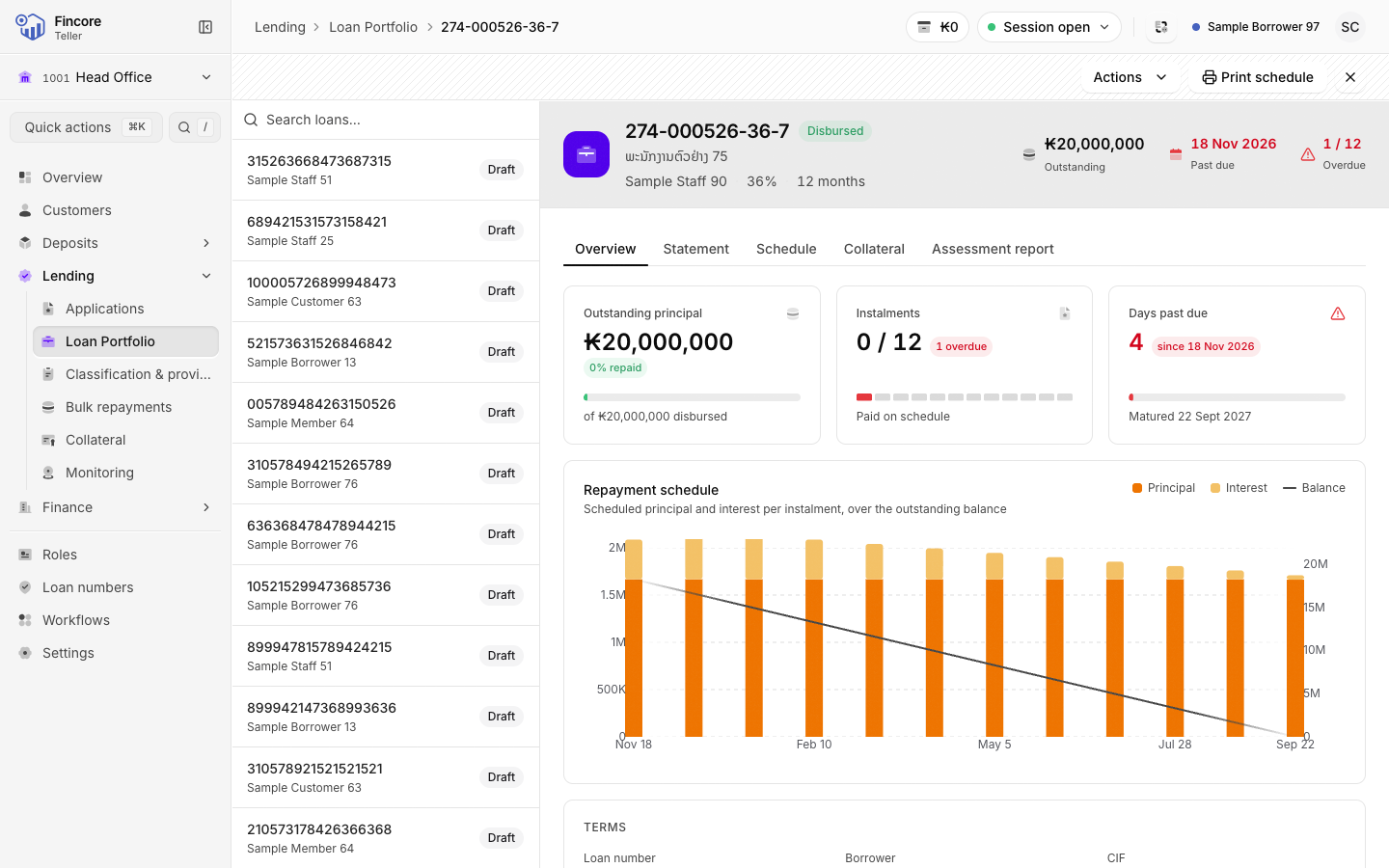
The loan record has tabs: Overview, Statement, Schedule, Collateral and Assessment report. Actions at the top right holds Record repayment and, on a disbursed loan, Preclosure.
Good to know
- With a past As of date, only the arrears aging and the overdue exposure move to that date. Classification, balances and the product mix stay current, and a note on the tab says so.
- On the Loans tab you can tick loans and choose Send to bulk repayments or Repayment template. See Post repayments in bulk.
- If a tab says the data could not be loaded, the core banking system did not answer. Wait a moment and reload.
Your bank may differ
Some banks also use loan monitoring, where field officers record visits to borrowers. If your bank does, Monitoring appears under Lending in the sidebar.